
Connect your LP portals once and collect every document automatically
LP portal connectors for individual LPs and family offices
Clariteer connects to the investor portals your GPs use, such as eFront Investor Portal, Fundrbird and Fundpanel. When a capital account statement, capital call or distribution notice is published, we pick it up, extract the figures and reconcile them with your cash flows. You can open the source PDF behind any number.
There's no single API that gives an LP access to all its GP portals, because each portal is a closed system with its own login. So we build and maintain a connector for each one, and the documents from all of them end up in one dashboard.
Setup takes one email address. We give you a dedicated Clariteer email and your GP adds it as a user on the portal. You don't need to install anything or involve IT.
On a recent fund, collecting, extracting and reconciling the full document history took about 2 minutes.
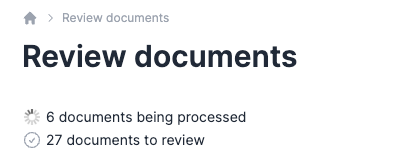
Documents collected from LP portals arrive in Clariteer, ready for review.
Less admin, complete records
No more logging into each portal
You stop logging into a dozen portals every quarter to download, rename, file and retype documents. For family office teams, that's often multiple times a day.
Nothing slips through
Every document your GP publishes comes in automatically, including capital calls with short payment deadlines.
Numbers within hours
Documents are processed a few hours after the GP publishes them, so your dashboard stays up to date.
Fast onboarding
We import your full document history when you connect, so you don't have to upload years of past statements by hand.
Answers for your accountant
When your accountant or board asks where a number comes from, you open the original PDF in one click. Most data feeds only give you the number.
How it works
- Your GP adds one email address. We give you a dedicated Clariteer email and your GP adds it as a user on the portal.
- You connect the portal in Clariteer. You can import the full history, or only new documents if you've already uploaded past ones.
- We check the portal every few hours. Our software looks for new documents and for changes to the portal itself, so we can update the connector before your next document comes in.
- We extract and reconcile. Statements, calls and distributions are turned into structured data and matched against your cash flows.
- You validate. You get a summary email, for example: "45 documents for Fund X extracted. Review and validate."
Supported LP portal connectors
Once a connector is built, it works for every Clariteer user on that portal.
Your portal isn't listed?
We build the most requested connectors first. Send us an email with the name of the portal and the number of funds you access through it.
Security
- Clariteer has its own login on the portal. You never share yours.
- Collection runs automatically, without anyone logging in by hand.
- We only download documents and never submit or change anything on the portal.
- Credentials are encrypted at rest.
FAQ
Can I connect all my LP portals to one dashboard?
Yes. Clariteer connects to each portal separately and brings capital calls, distributions and capital account statements together in one place. From there, you get cash flow projections, tax preparation and performance metrics such as IRR, TVPI and DPI across your whole portfolio.
Is there an API or integration for LP portals?
Most LP portals don't offer an API to LPs. Clariteer's connectors act as that integration: one connector per portal, maintained by us, so you don't need anything from IT.
Which documents does Clariteer collect?
Capital account statements, capital call notices and distribution notices.
Do I have to share my portal password?
No, your GP adds a dedicated Clariteer email as a user.
What does my GP need to do?
Add one email address on the portal, as they would for a new colleague at your office.
What happens if the portal changes?
We usually notice and update the connector before your next document arrives.
Can I import past documents?
On most portals, yes. On Fundpanel we currently collect new documents only.
I already uploaded my documents manually. Will I get duplicates?
No, as long as you choose "new documents only" when you connect.
What about GPs that only send documents by email?
Forward those emails to your Clariteer address and they're processed the same way.
I invest with several GPs on the same portal. Do I connect each one?
Yes, each GP adds the Clariteer email on their side, so there's one login per GP.
Who is this for?
Individual LPs, family offices and small investment teams with commitments across several GPs.
Connect your first LP portal
Your GP adds one email address. Clariteer collects every document from then on.



We regularly write about private equity
Be notified when a new article is published.
No spam, no sequences. Unsubscribe anytime.